Local Desktop: Pantheon
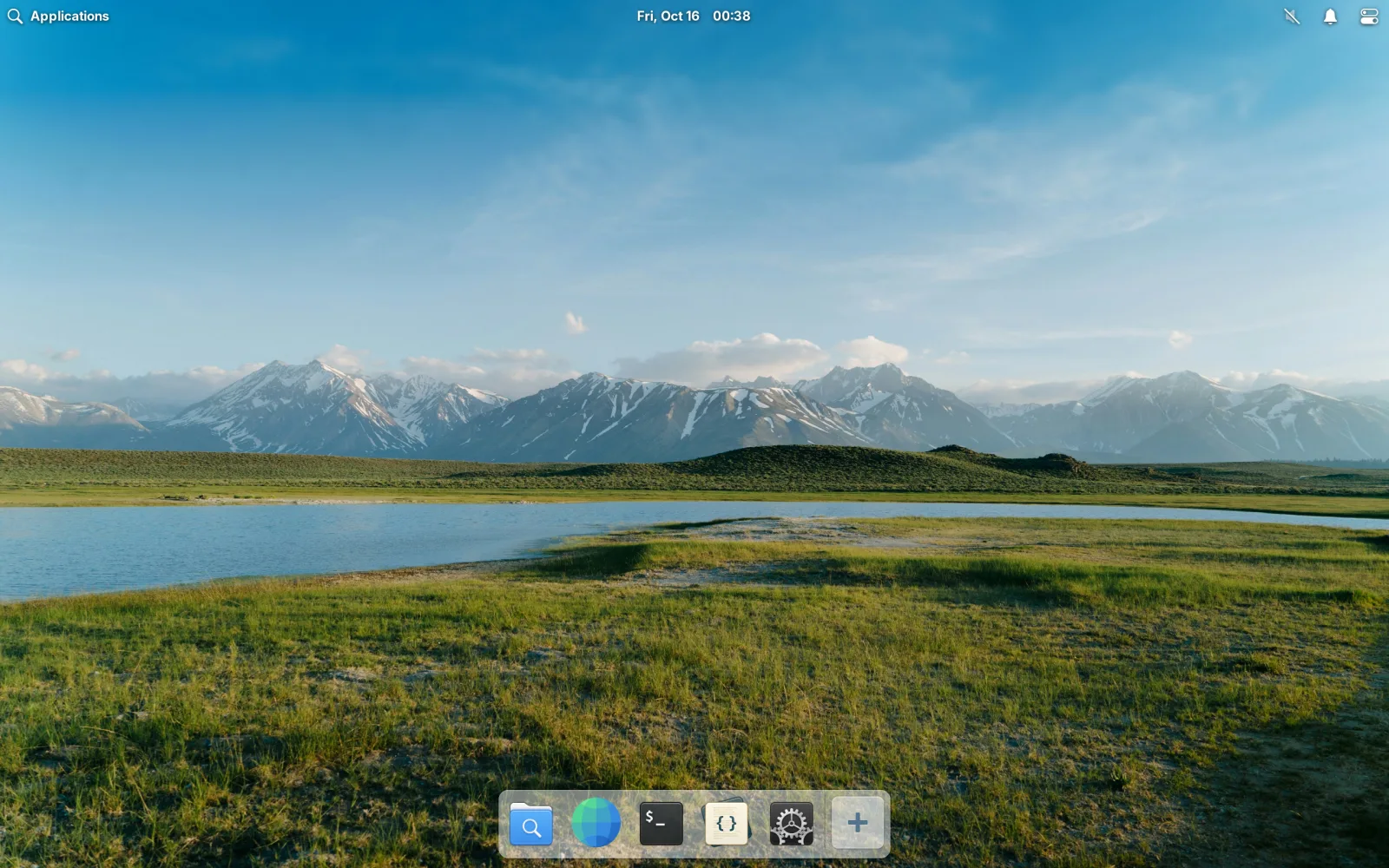
Local Desktop: Pantheon is a sister app of Local Desktop. It uses the same engine, but instead of downloading Arch Linux and installing Xfce, it ships elementary OS with its Pantheon desktop inside the APK. Install it, tap the icon, and you get the desktop without a download or an internet connection.
Its source code is in a separate repository, elementary-mobile.
How it differs from Local Desktop
| Local Desktop | Local Desktop: Pantheon | |
|---|---|---|
| Linux | Arch Linux ARM | elementary OS 8 (based on Ubuntu 24.04) |
| Desktop | Xfce | Pantheon |
| First start | Downloads about 150 MB, then installs the desktop | Unpacks the OS from the APK, offline |
| APK size | Small | About 210 MB |
| Default user | root | elementary |
| Updates | pacman -Syu, whenever you want | A newer APK replaces the whole OS |
| Install more apps | pacman and the AUR | apt, but see below |
| GPU acceleration | On Qualcomm Adreno GPUs | No, everything is drawn by the CPU |
Both apps can be installed side by side. They don't share files.
Updates and your files
The OS is never updated in place. When a newer version of the app carries a newer OS, the old one is replaced as a whole on the next start. Your home folder and your settings are kept outside the OS, so they survive.
Apps you install yourself with apt live inside the OS, so they are gone after an update that replaces it. Keep a list of what you installed.
Settings
Like in Local Desktop, the commands are in a config file, /etc/localdesktop/localdesktop.toml. There is no Check or Install command, since there is nothing to install. You can change the user and the Launch command, to start something else instead of the elementary session.
External displays
Connect a monitor, and the desktop moves to it while the phone becomes a trackpad, the same as in Local Desktop. See Using an external display.
Limits
Pantheon is newer and more experimental than Local Desktop:
- elementary's Flatpak apps don't run. Calculator, Music, Videos, Photos and AppCenter are only made as Flatpaks now, and Flatpak needs Linux features that Android doesn't give to apps. Web, Files, Terminal, Code and System Settings are included as normal packages.
- Everything is drawn by the CPU, so animations and big windows are slower than in Local Desktop on a Qualcomm phone.
- Sound doesn't work reliably yet, and the desktop is in English only.
- Android's process limit. The session uses about 23 processes at idle, close to Android's limit of 32. With more than a couple of apps open, Android may close the app. Turn the limit off once, as described in Getting started.
Get it
Local Desktop: Pantheon is in testing on Google Play. To join, leave your email address in this discussion. You can also build it yourself from the repository, or download the APK from its releases.
Its privacy policy is the same page as Local Desktop's: the app collects nothing, and has no crash reporting.
elementary OS and Pantheon are made by elementary, Inc. and their contributors. Local Desktop: Pantheon is a community project, not affiliated with or endorsed by elementary, Inc.