ArtCraft
ArtCraft is an open-source studio for making images and videos with AI. You arrange a scene on a 2D canvas or in 3D, describe what you want, and it generates the result with cloud AI models. It's free and open source (MIT or Apache 2.0).
The image and video generation runs on ArtCraft's servers, not on your phone. That's good news for a phone: you get the same results as on a powerful PC. It also means you need an internet connection, and a free ArtCraft account.
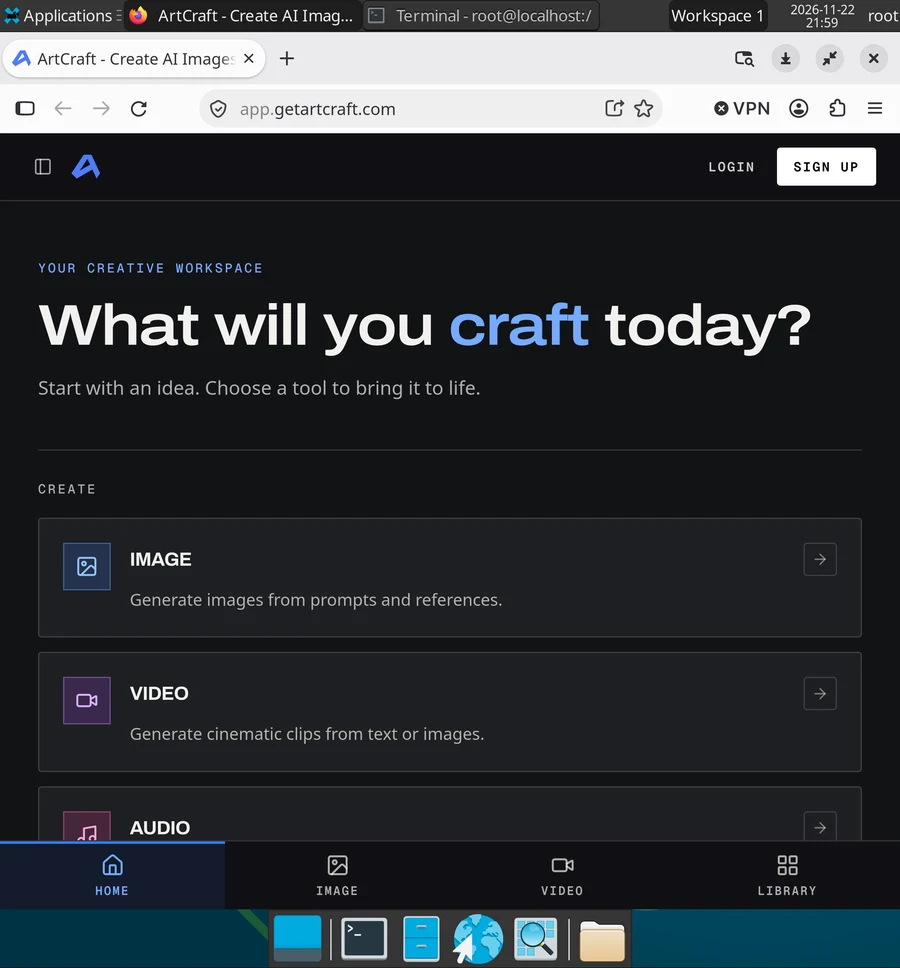
Use the web app (recommended)
ArtCraft also runs in a browser. Open Firefox, which comes with Local Desktop, and go to:
https://app.getartcraft.com
Log in or create an account, and you have the same tools as in the desktop app. On a phone screen, use it in landscape, or on an external display, since the canvas needs room.
The desktop app doesn't work yet
ArtCraft publishes a ready package for Arch Linux on ARM, and it installs fine:
curl -LO https://github.com/storytold/artcraft/releases/download/artcraft-v0.41.1/artcraft-0.41.1-linux-aarch64.pkg.tar.zst
pacman -U artcraft-0.41.1-linux-aarch64.pkg.tar.zst
But its window stays empty. The desktop app shows its interface with WebKitGTK, a web engine, and WebKitGTK's page process exits right after it starts in Local Desktop. We saw the same on an Android emulator and on a OnePlus Open, also with WebKit's sandbox turned off. Until that's fixed, use the web app.
If you installed it, remove it with:
pacman -Rns ai.artcraft.app
The version in the link above was the newest when we tested. Check ArtCraft's releases for a newer one, and if a newer version works for you, please tell us in GitHub Discussions.