LibreOffice
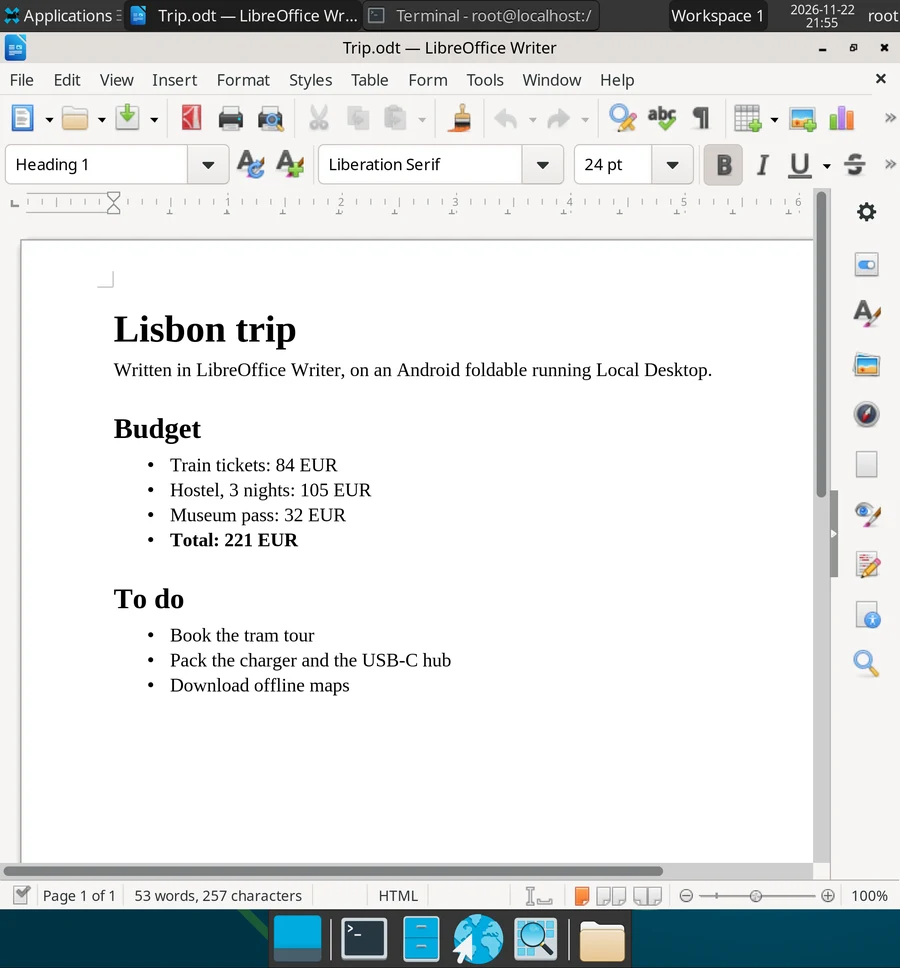
LibreOffice is the full office suite you know from PCs: Writer for documents, Calc for spreadsheets, Impress for slides, plus Draw and Math. It opens and saves Microsoft Office files (.docx, .xlsx, .pptx), so you can work on the same files on your phone and on a PC.
Install
pacman -Syu libreoffice-fresh
It's about 610 MB once installed. You find Writer, Calc and Impress in Applications > Office.
There are two versions: libreoffice-fresh has the newest features, libreoffice-still is the older, more conservative one. Pick one, they can't be installed together.
Open your files
To open a file from your phone, for example an attachment you downloaded, first give Local Desktop access to your Android storage. Then, in LibreOffice, choose File > Open, and go to /android/Download.
Save to /android/Documents if you want to find the file in Android's Files app later.
Convert files without opening them
LibreOffice can convert files from the terminal, which is handy for turning a document into a PDF:
libreoffice --headless --convert-to pdf report.docx
The PDF is saved in the current folder. It also works for spreadsheets (--convert-to xlsx) and many other formats.
Tips
- A phone screen is small for all those toolbars. Use the screen in portrait, and hide what you don't need: View > Sidebar to close the sidebar, and View > Full Screen (
CtrlShiftJ) when you only want to read. - The Android keyboard opens when you tap into the document. That's how Local Desktop's on-screen keyboard works. With a Bluetooth or USB keyboard you can turn it off, see Changing settings.
- The first start takes a while. LibreOffice is big, so the first launch can take 10 seconds or more. It's faster after that.
- The layout of a Word file moves around? Documents made on Windows often use Microsoft's fonts, which Linux doesn't have. Arial, Times New Roman and Courier New already have same-size replacements (the Liberation fonts). For Calibri and Cambria, the defaults in newer Office versions, install their replacements:
pacman -Syu ttf-carlito ttf-caladea.