You don't have Samsung DeX? No problem 🖥️

Local Desktop was built on the assumption that when you connect your phone to an external display, the phone becomes a trackpad (like Samsung DeX), or at least the whole display is used for the desktop. It turned out that not all phones can do that. Even Google's own list of phones with a desktop on a connected display is short: the Pixel 8, 9 and 10 series and recent Samsung devices such as the S26, Fold7 and Flip7, on Android 16 QPR3. Most other phones, including most budget and mid-range ones, just mirror their screen.

What we expected: a phone driving a desktop on a monitor. Source: Android Developers Blog.
Local Desktop now works better with external monitors
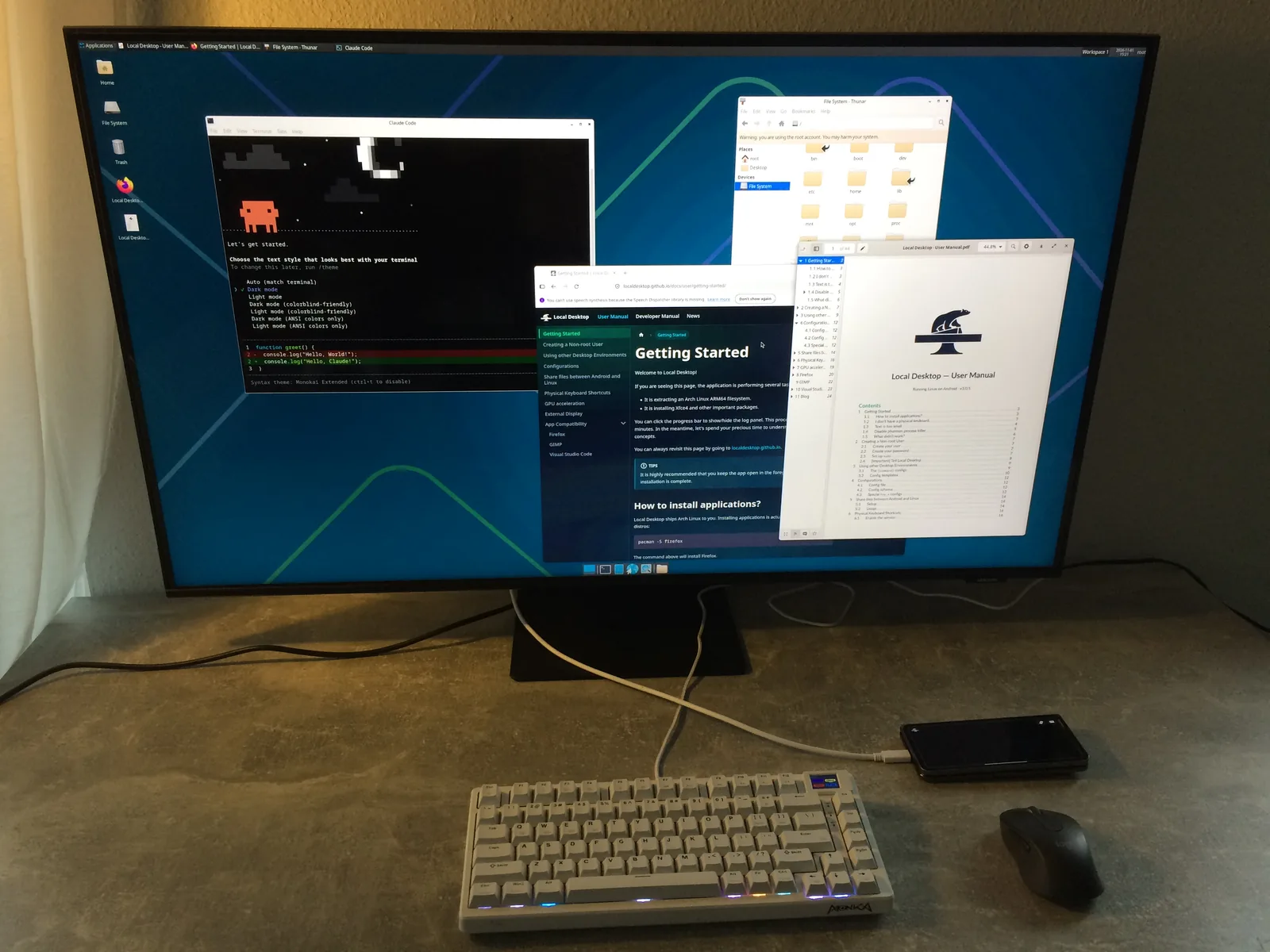
Now, on any phone, when you connect it to an external monitor and open Local Desktop, the monitor becomes the Wayland display for your Linux desktop environment (through Android's Presentation API), and your phone becomes a trackpad. We also forward your Android keyboard to the apps (instead of relying on the on-screen keyboards installed in Linux), but we strongly recommend connecting a physical keyboard.
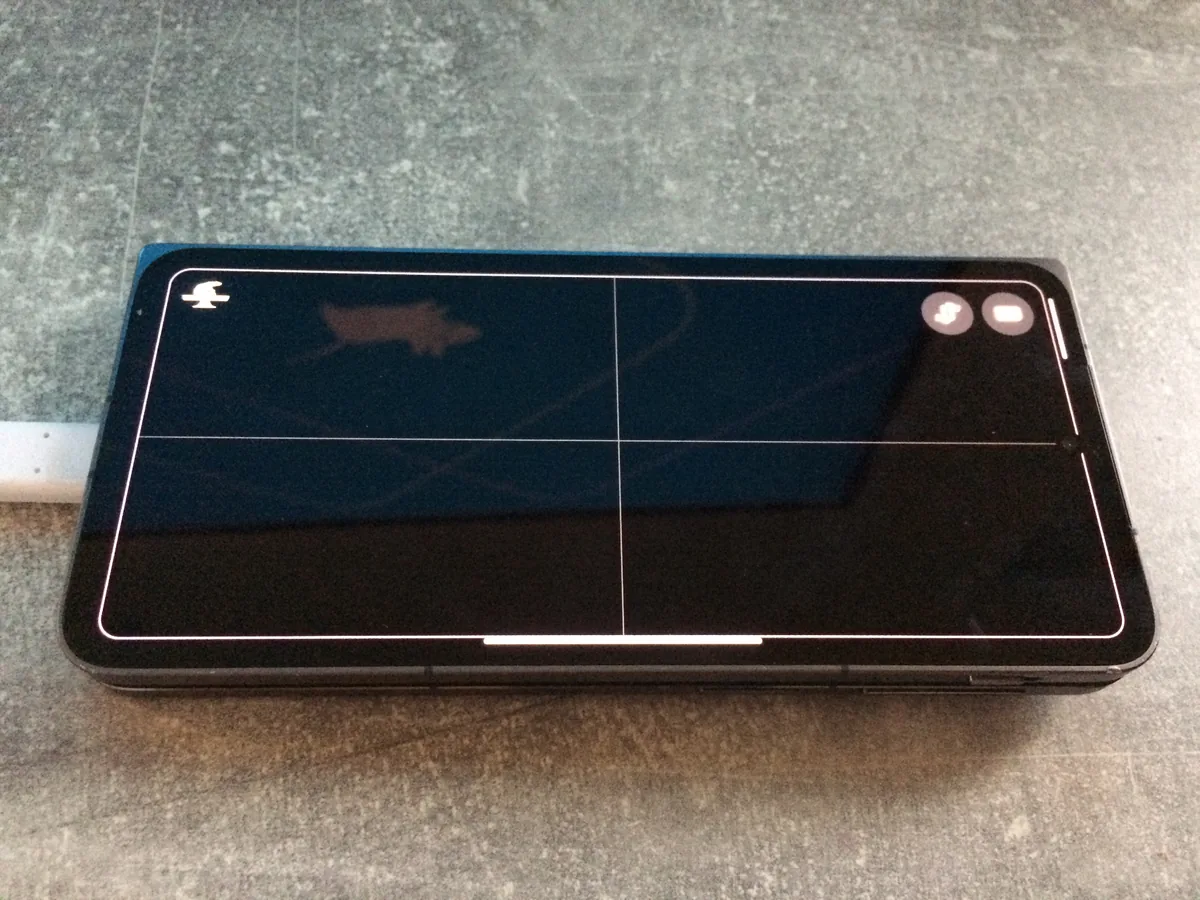
You can rotate the trackpad however you want. We put a nice app icon in the top left corner so that you know which orientation you are using (yes, I lose my sense of direction sometimes 😅).
| Gesture | Does |
|---|---|
| Slide one finger | Move the cursor |
| Tap | Left click |
| Tap with two fingers | Right click |
| Tap with three fingers | Middle click |
| Slide two fingers | Scroll |
| Touch and hold, then slide | Drag |
Local Desktop now works better in the background
You can swipe away to use your phone for something else, without worrying that Local Desktop will exit like before. And with the GPU improvements, an idle desktop barely uses your CPU or GPU.
Local Desktop now has less weird settings
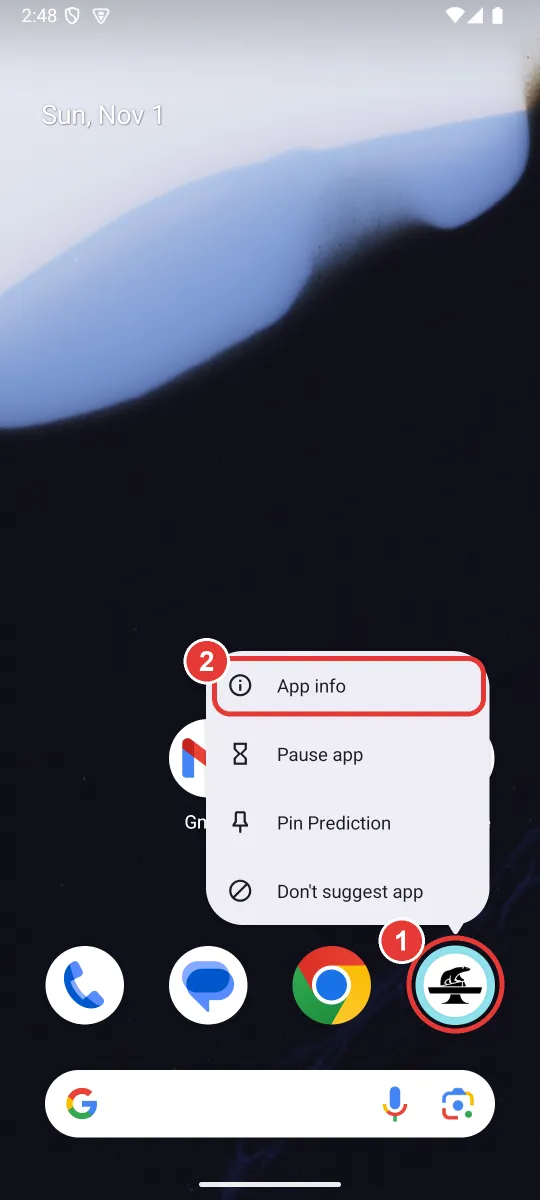
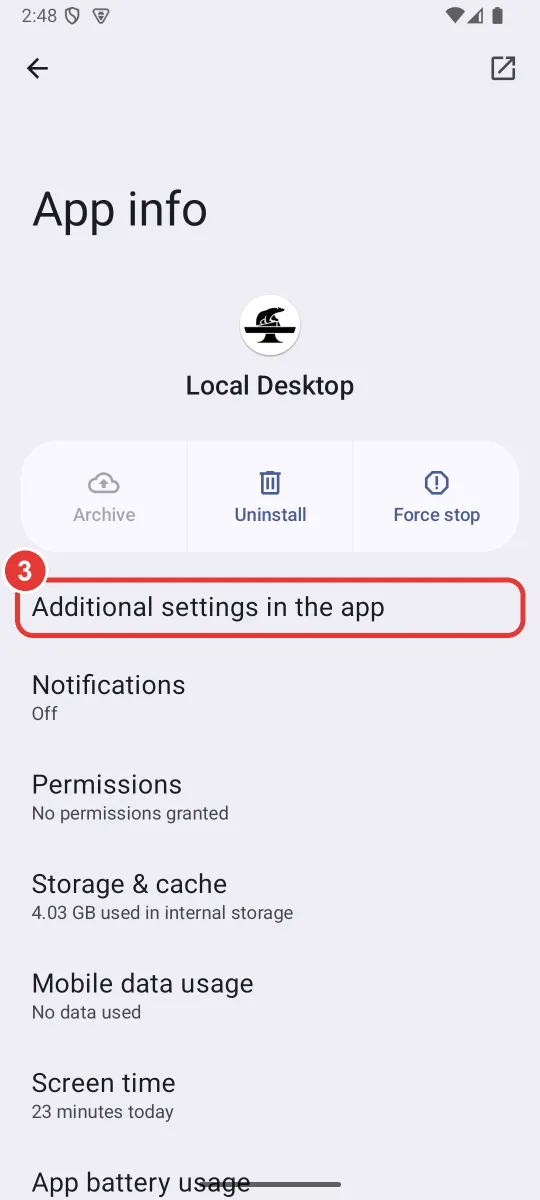
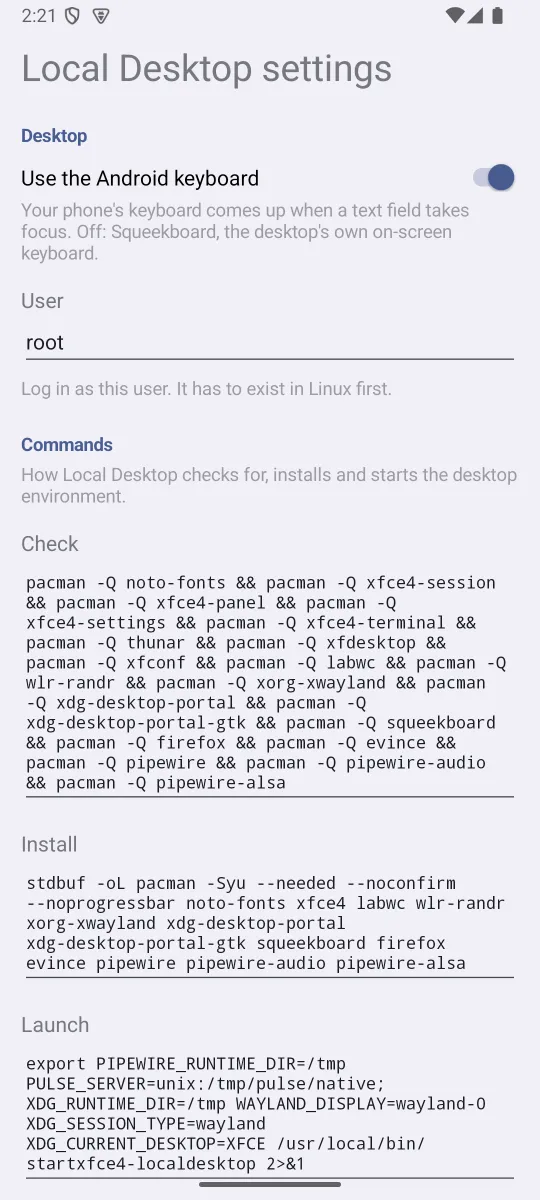
Also, not related to monitors: the settings are now in Android. They used to be in localdesktop.toml inside Linux, which needed a text editor installed, and a broken setting could keep the desktop from starting, and with it your only way to fix the file. Now you change them from App info, even when the desktop doesn't start.
Local Desktop: Pantheon too
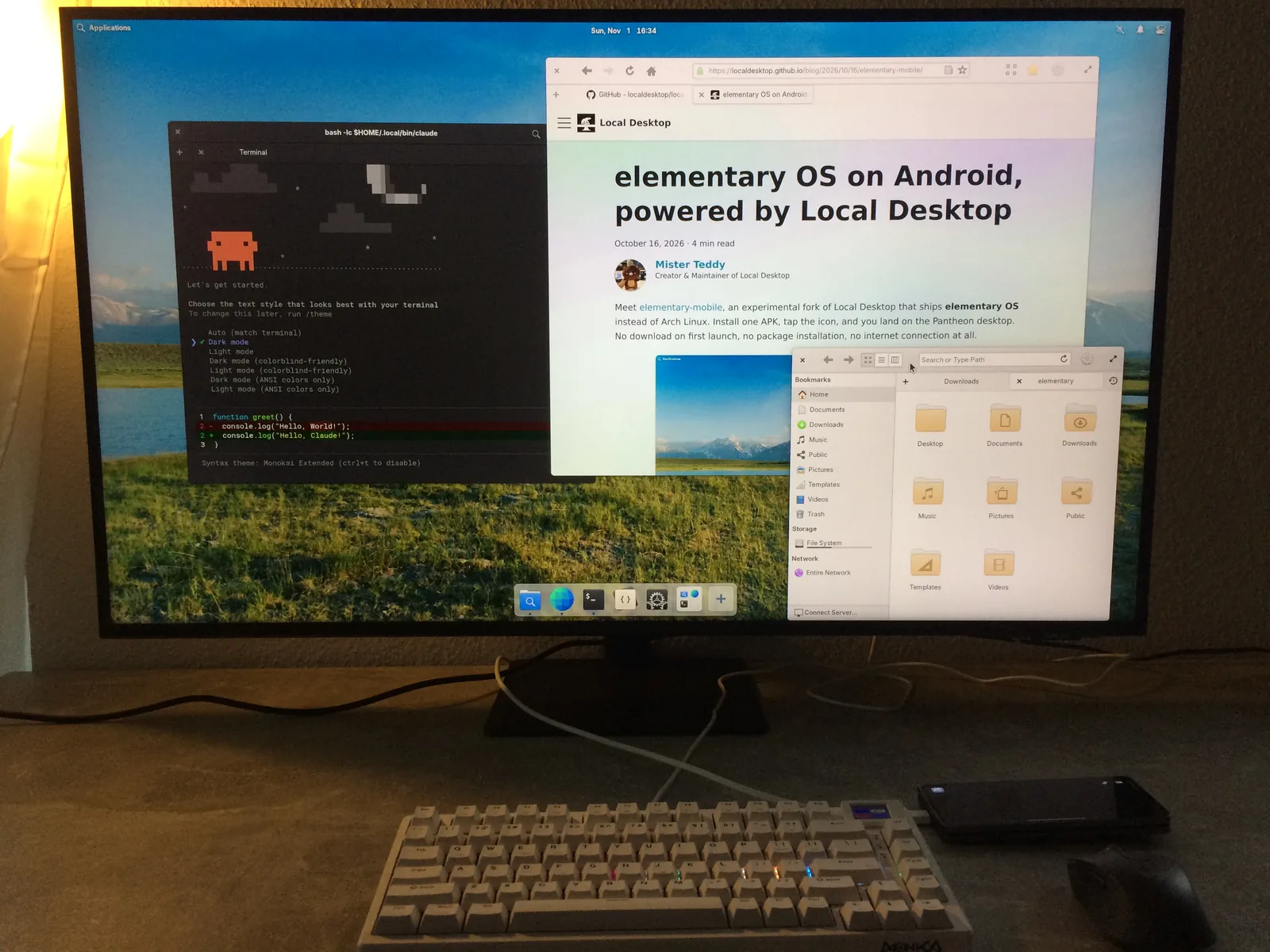
And yes, it also works with elementary OS.
elementary mobile, our fork that ships elementary OS, gets the same feature in version 1.1. It also fixes the black screen some Snapdragon phones got, where the window manager kept crashing.
We are still looking for testers on Google Play. Please leave your email address in this discussion, and I'll send you the code and invitation. Thank you for your support, and happy hacking on the big screen! 👋