Local Desktop Dev, a VS Code extension for everyone who builds Local Desktop 🛠️

Building Local Desktop used to mean juggling a lot of tools: x build in one terminal, adb logcat in another, a third-party debugger extension pinned to an old CodeLLDB, GitHub's Actions tab for builds, and a Google Chat room that nobody opened.
Today we're bringing all of it into one place: Local Desktop Dev, a VS Code extension that covers the whole loop, from pressing F5 to shipping a release. It also works in Cursor, VSCodium and other VS Code based editors.
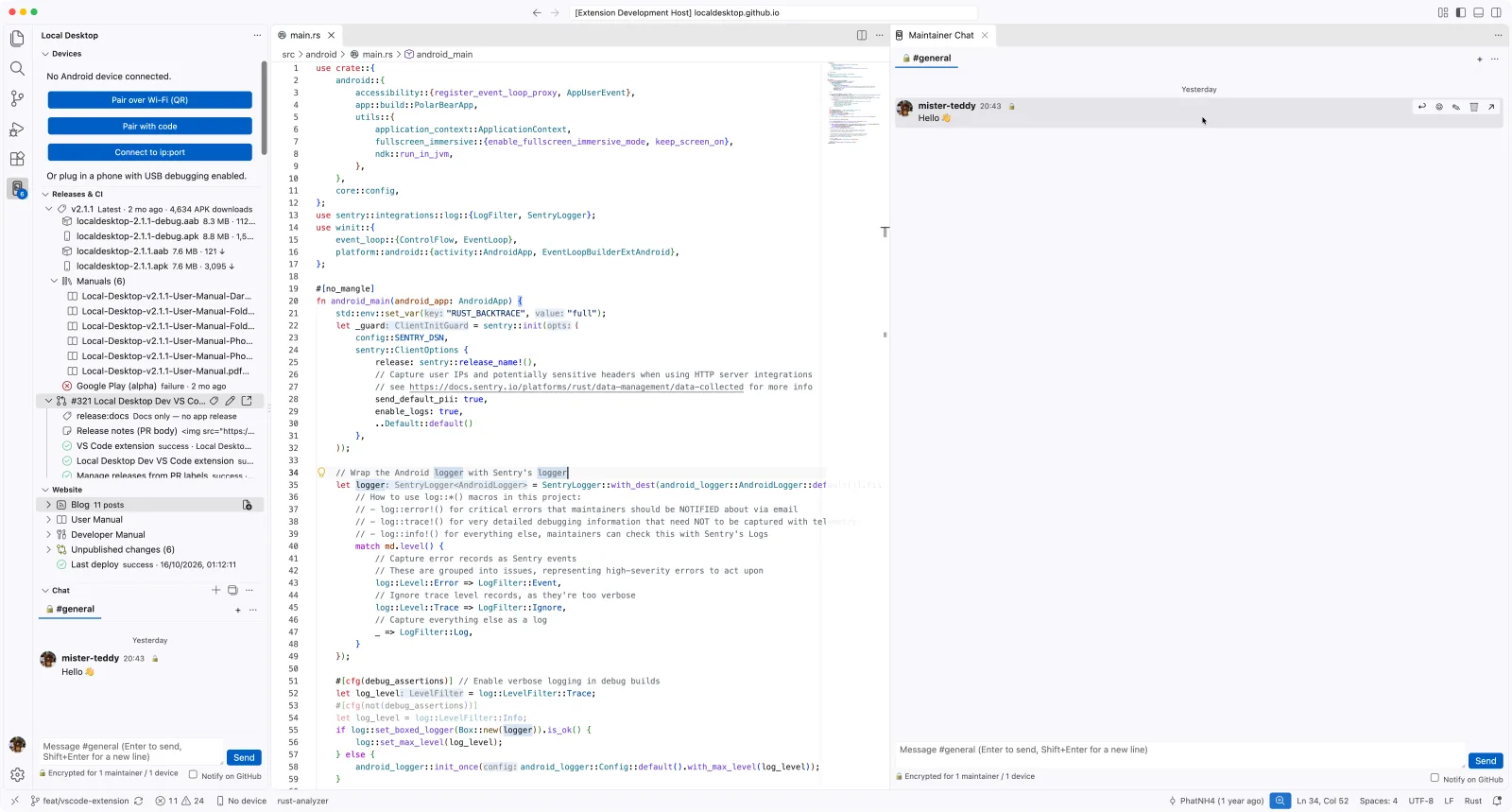
Press F5, hit a breakpoint
Open the repository, plug in your phone (or pair it over Wi‑Fi with a QR code), and press F5. The extension:
- builds the APK with our patched xbuild,
- installs it on the device you picked,
- launches Local Desktop paused, waiting for the debugger,
- attaches LLDB through CodeLLDB, so breakpoints in Rust work from
android_mainonwards.
No more pinned CodeLLDB versions, no more "Cannot determine NDK root". If you have more than one device connected, it asks which one, and remembers your choice.
Logs that actually show the app
The logcat view is filtered by the app's Linux user, not by a guessed tag. That means it shows the Rust logs, panics, and everything the proot and PipeWire child processes print, and nothing from the rest of the phone.
Your coding agent can use the phone too
This is the part I'm most excited about. The extension ships an MCP server, so coding agents like Claude Code, Codex, Cursor and Copilot can work with a real device:
- read the app's logs and get crash reports with function names and line numbers,
- take a screenshot, then tap, swipe and type on the Linux desktop,
- record what the phone plays and get a summary of the audio: levels, silence, dropouts and the main frequency, so an agent can tell whether sound works,
- build, install and restart the app.
An agent can now fix a bug, deploy it to your phone, look at the screen and confirm the fix, while you're getting coffee. The repository includes the configuration, so Claude Code and Cursor pick it up automatically.
Releases in one click
The new Releases & CI view shows the latest release, its downloads, and whether the Google Play upload went through. The 🚀 button builds a signed APK of your branch on GitHub Actions and offers to install it on your phone when it's done. You can also set your pull request's release label, which shows the version it will produce, and edit the release notes right in the editor.
Blog and docs without leaving the editor
The Website view lists every blog post and doc page. Write a new post with a small wizard, preview it live, and publish it as a pull request.
A maintainer chat on GitHub
We tried Google Chat and Matrix, and neither stuck. So the extension has a small chat built on GitHub Discussions in our own repository: everyone already has an account, and there's nothing to host. Private channels are encrypted on GitHub, so you read and post in them with the extension. A webhook makes new messages show up within seconds.
It works in forks too
Forks like elementary mobile get the same F5, logs and agent tools, using their own package name and their own GitHub repository. The chat stays in one place for the whole team.
Try it
Get it from Open VSX: in Cursor, VSCodium or Windsurf, search for Local Desktop Dev in the Extensions view. In VS Code, download the .vsix and choose Install from VSIX. Then read Maintainer tools to get started. The source is in vscode-extension/, and as always, contributions are welcome. See you in the chat! 👋