Physical Keyboard Shortcuts
If Android intercepts hardware shortcuts like Ctrl+C, Ctrl+V, Ctrl+L, or other desktop-style combinations before they reach the Linux session, enable Local Desktop's physical-keyboard accessibility service.
Android uses the same "full control of your device" warning for every accessibility service. Local Desktop uses this service only to forward physical keyboard events into the Linux desktop session.
Enable the service
-
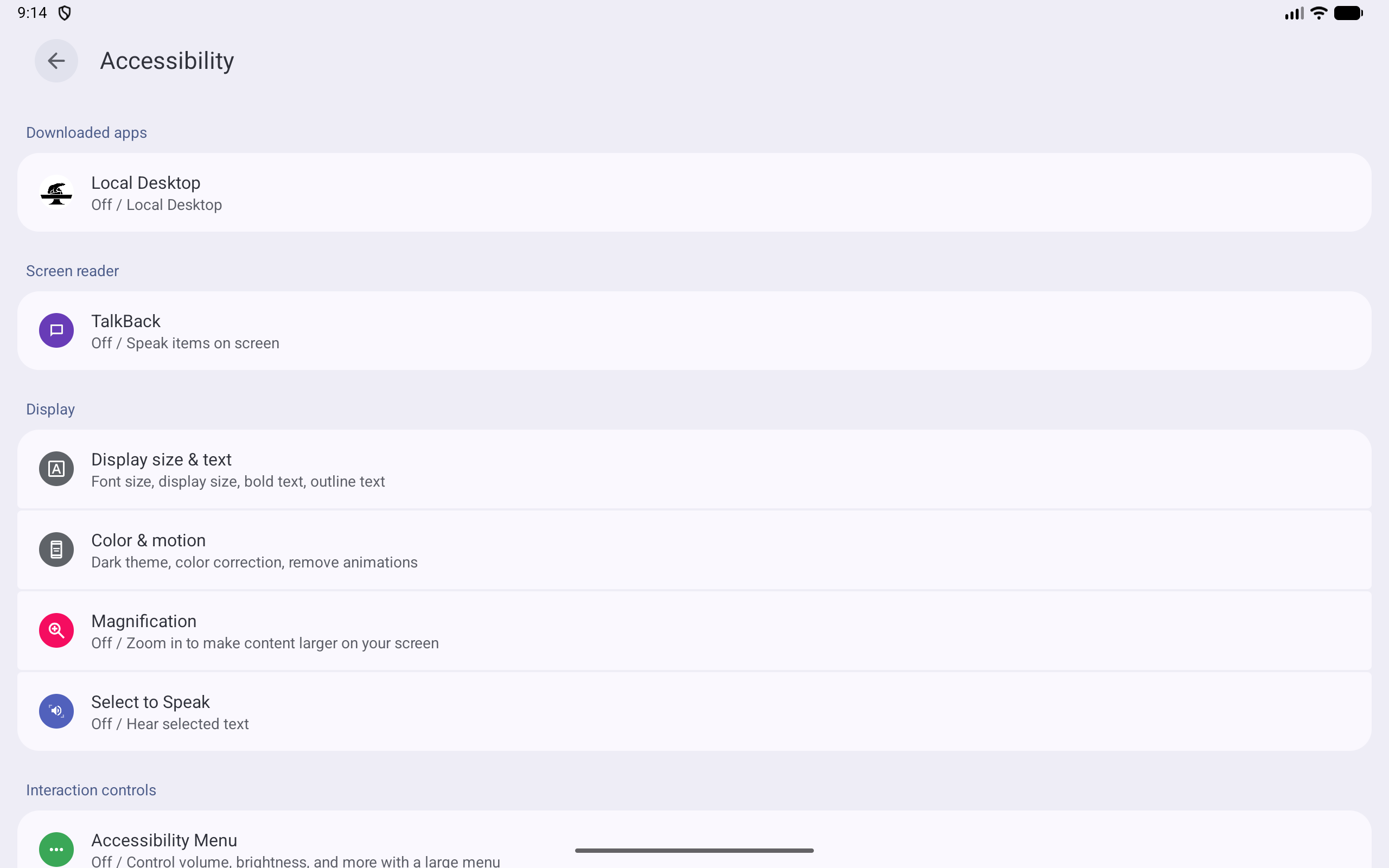
Open Android Settings > Accessibility and find Local Desktop under Downloaded apps.
-
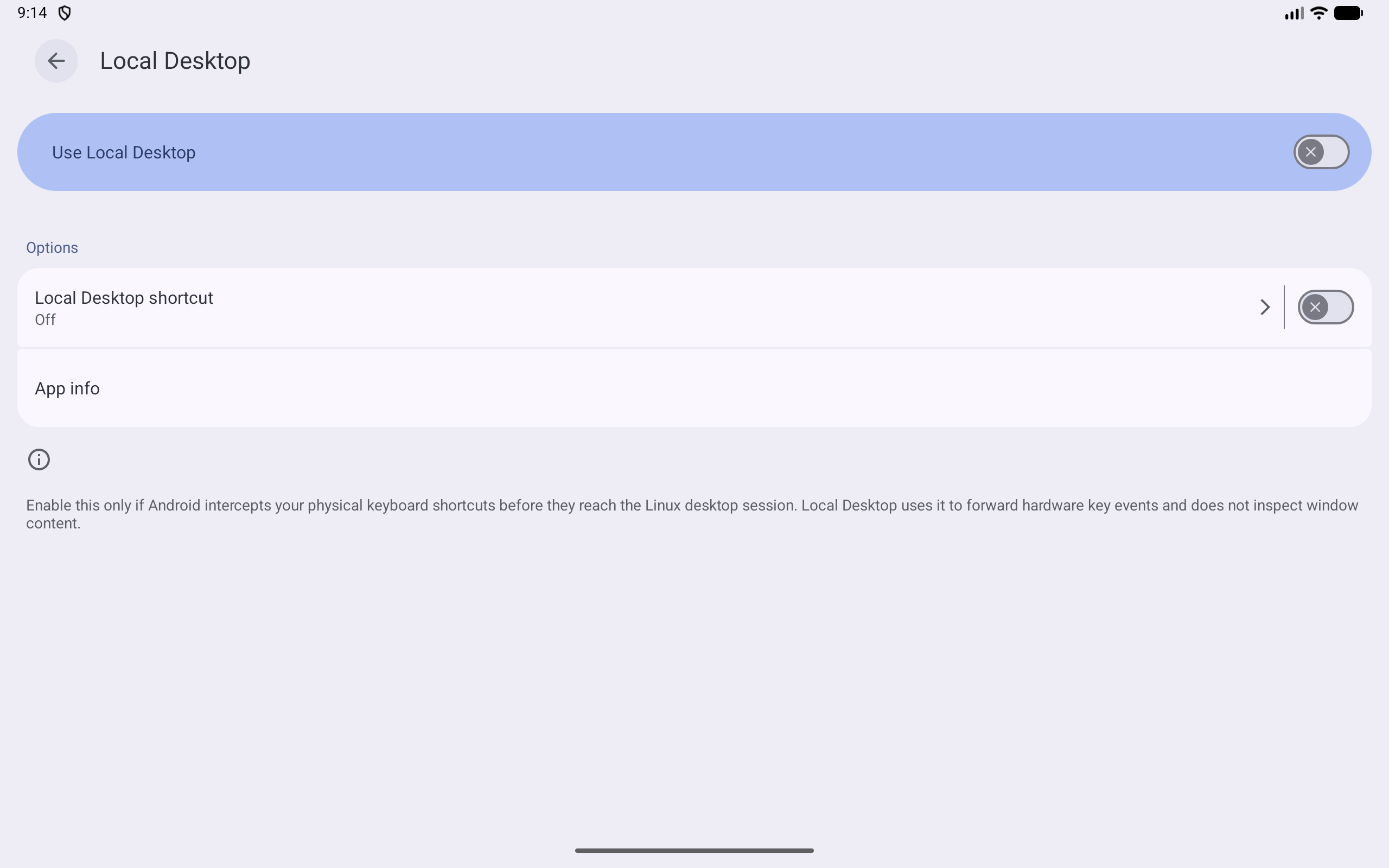
Open Local Desktop and turn on Use Local Desktop.
-
Android will show a generic accessibility warning. Read it, then tap Allow if you want Local Desktop to receive physical keyboard shortcuts.

-
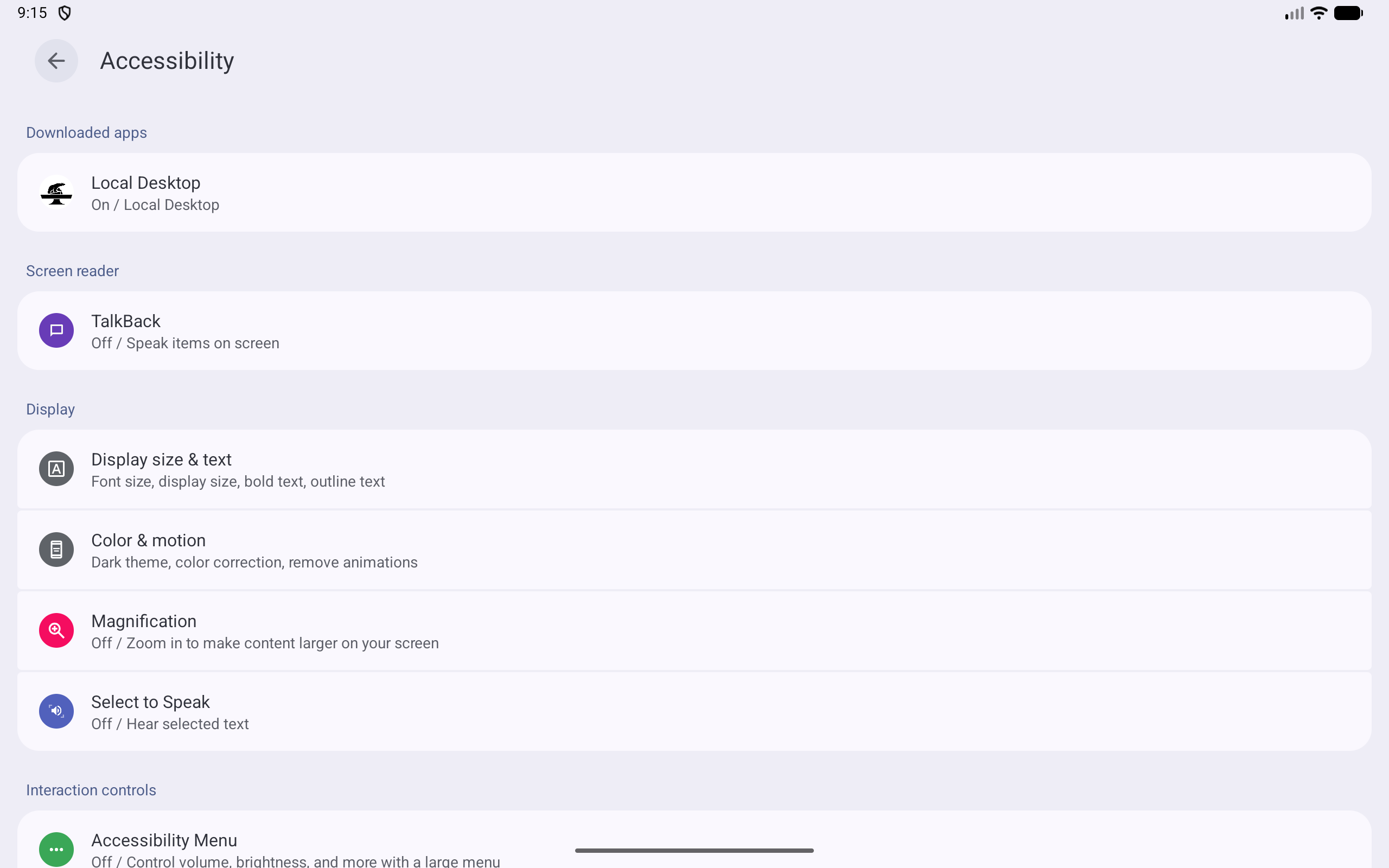
When the setup is complete, the Accessibility list should show On / Local Desktop.
When should I use this?
Enable it only if Android steals physical keyboard shortcuts before they reach Local Desktop. If shortcuts already work correctly on your device, leave it off.
Turn it off again
Go back to the same settings page and switch Use Local Desktop Physical Keyboard off.