Anyone Can Code

...on their phone
Pull request #170 added the ability to build localdesktop.apk directly on your phone. But why would we want to do that? As we want to support as many devices as possible, we'd like to call for more contributors. I believe Local Desktop's own users are the most motivated to become maintainers and contributors — and coding has always been the highest barrier to entry. However, with the rise of AI and agentic coding tools like Codex, Claude Code, Gemini CLI, and others, that barrier no longer exists. And with the ability to build an APK right on your phone, you don't need a PC or even any prior coding experience to contribute to this project.
How to fix a bug or develop a new feature on your phone
Install a Coding Agent
For example, if you use Codex:
- Install Termux
- Install the necessary software:
pkg i nodejs -y
- Install Codex (via this patched version):
npm install -g @mmmbuto/codex-cli-termux
If you get No command 'npm' found, you may need to restart Termux after step 2.
- Then start Codex:
codex
You will see something like this:
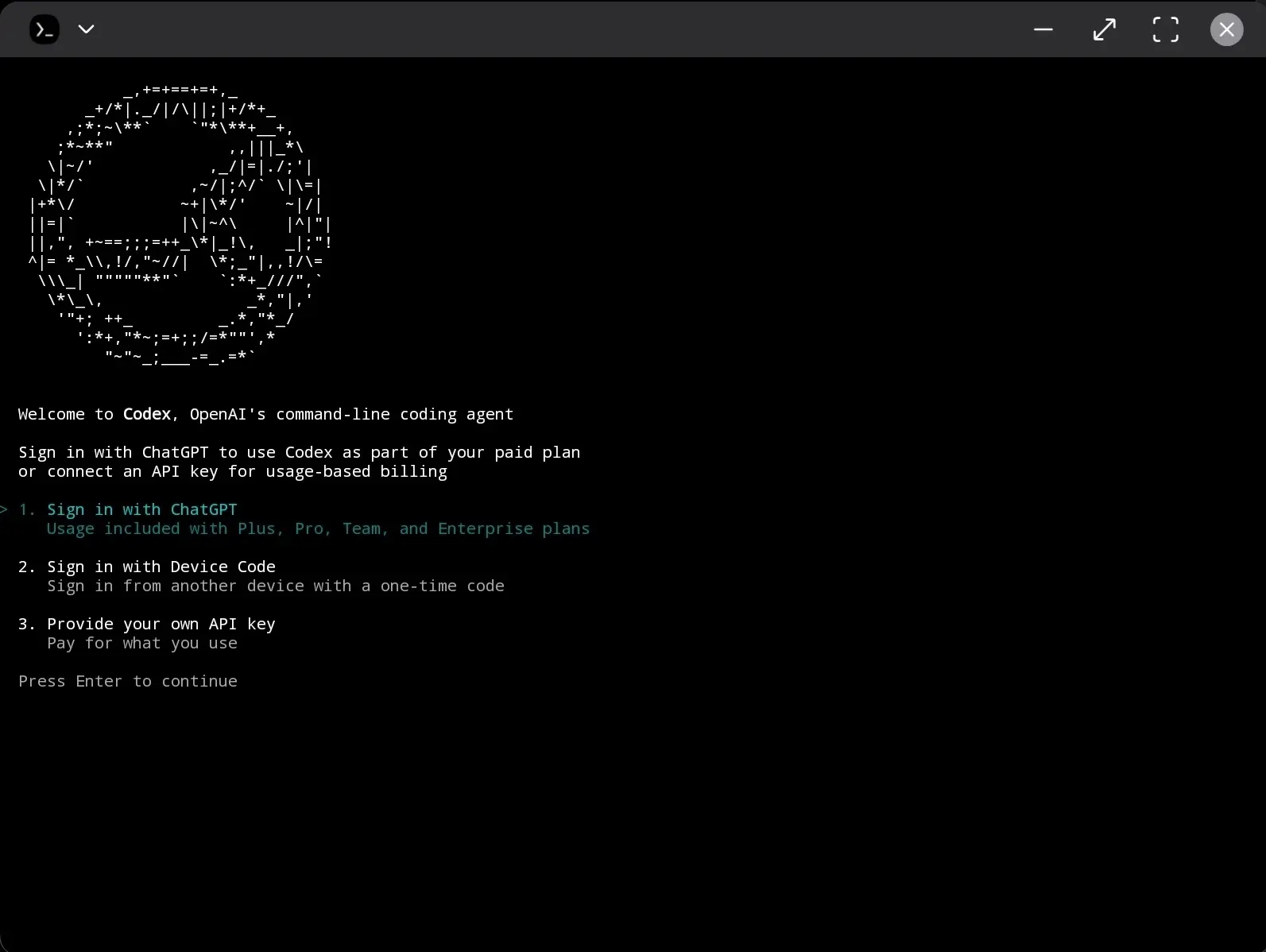
It's simple enough to sign in :))
Clone Local Desktop
Just paste this prompt and hit Enter:
Install `git`, then clone `https://github.com/localdesktop/localdesktop.github.io.git`
Build an APK
Follow @localdesktop/README.md to build an APK (Termux)
Fix Something
Since some issues only appear on specific devices or brands, it's often easier to fix them directly on your own device. We truly appreciate any help in making Local Desktop better:
This device can run `proot` on Termux, but gets "Device Unsupported" on localdesktop. Follow these steps:
1. Create a util to log to ~/storage
2. Put necessary logs in the code to debug the issue
3. Follow @localdesktop/README.md to build an APK on Termux
4. Install and run it
5. Gather the log and analyze it
6. Fix the issue
Two important things to keep in mind:
- Make sure you enable "All files access" for both Local Desktop and Termux so they can both write and read logs to the same location. Otherwise, agents won't be able to debug the issue.
- Step 4 (Install and run it) is known to not work on most devices, but on some — especially rooted ones — it may work and save you some time. Otherwise, the AI will pause and wait for you to open the Downloads folder and manually install and run the APK. You can return to Codex and type "Continue" at any time.
With the ability to run a coding agent and build Local Desktop directly on your phone, we look forward to welcoming more maintainers — or at least some code contributions to fix issues that we can't reproduce with our limited access to devices.
So if you've ever thought "I wish this app worked better on my device" — now you can be the one to cook it 🐀🥘👨🏻🍳